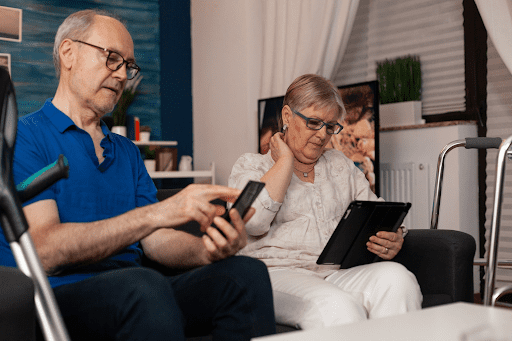
If you’re caring for an aging parent or planning ahead for your own future—you may be wondering how technology for seniors can actually make daily life easier. From tablets to emergency alert systems and smart home tools, the options can feel overwhelming. What’s useful? What’s safe? And what’s worth the cost?
Many caregivers in Ontario face this exact challenge. You want to support independence while also ensuring safety, but sorting through devices, services, and products can quickly become confusing.
This guide breaks it down in simple, practical terms. You’ll learn how these technologies work, why they matter, what options are available in Ontario, and how to make confident, informed decisions, without stress or guesswork.
What This Means — In Simple Words
Technology for seniors refers to easy-to-use devices and tools designed to support safety, communication, and independence at home.
Here’s a simple way to understand the main categories:
- Tablets: Touchscreen devices that help seniors stay connected with family, access services, and enjoy entertainment
- Emergency alert systems: Wearable or home-based tools that allow seniors to call for help instantly
- Smart home tools: Devices that automate everyday tasks like lighting, security, or reminders
These technologies are not about replacing care—they’re about making life easier for both seniors and caregivers. When used correctly, they reduce stress, improve safety, and help seniors stay in their own homes longer.
Why This Matters for Seniors and Caregivers
Technology for seniors isn’t just convenient—it can make a real difference in everyday life.
Here’s how:
- Safety: Emergency alert systems provide immediate help during falls or medical concerns
- Independence: Smart home tools allow seniors to manage daily tasks without assistance
- Caregiver relief: Tablets and monitoring tools reduce the need for constant check-ins
- Peace of mind: Families feel reassured knowing support is always within reach
- Cost control: Staying at home longer can reduce the need for expensive facility care
For many families in Ontario, these tools are a bridge between full independence and full-time care.
Options Available in Ontario
There are several types of technology for seniors available across Ontario, ranging from basic devices to more advanced systems.
1. Tablets for Seniors
Designed with simplicity in mind, tablets can help seniors:
- Video call family members
- Access health information
- Use apps for reminders and medications
- Stay entertained with books, games, and news
Look for:
- Large icons
- Voice controls
- Easy setup
2. Emergency Alert Systems
These are essential safety tools, especially for seniors living alone.
Types include:
- Wearable pendants or wristbands
- In-home systems with base units
- Mobile systems with GPS tracking
Features to consider:
- 24/7 monitoring
- Fall detection
- Two-way communication
Ontario families often choose verified providers offering reliable monitoring services and clear response protocols.
3. Smart Home Tools
Smart home technology can automate everyday tasks and improve safety.
Common tools include:
- Smart lights (voice or app-controlled)
- Smart door locks and cameras
- Motion sensors
- Voice assistants for reminders
These tools are especially helpful for seniors with mobility challenges or memory concerns.
Public vs Private Options
- Public/community programs: Some local organizations offer basic assistive devices or funding support
- Private services: Most advanced technology products and monitoring systems are privately purchased
- Hybrid approach: Many families combine government support with private tools
In-Home vs Facility-Based Use
- In-home: Most technology for seniors is designed to support aging at home
- Facility-based: Some retirement communities in Ontario also integrate smart technology into their care models
Pros, Cons, and Common Mistakes
What Works Well
- Tablets for staying socially connected
- Emergency alert systems for high-risk seniors
- Smart tools for simplifying daily routines
When It May Not Work
- Complex devices without proper setup
- Seniors who are not comfortable with technology
- Poor internet connectivity in some areas
Common Mistakes Caregivers Make
- Waiting too long: Introducing technology after a crisis instead of proactively
- Choosing based on price alone: Cheaper systems may lack reliability
- Overcomplicating setup: Too many devices at once can overwhelm seniors
- Skipping training: Not showing seniors how to use the tools properly
The best approach is to start simple and build gradually.
Costs, Insurance, and Funding in Ontario
Understanding the cost of technology for seniors helps families plan effectively.
OHIP Coverage
Ontario Health Insurance Plan (OHIP) generally does not cover consumer technology like tablets or smart home tools. It may support certain medical devices prescribed by professionals.
Private Insurance
Some private insurance plans may partially cover:
- Emergency alert systems
- Assistive devices
Coverage varies widely, so it’s important to check your policy.
Government Programs
Ontario offers some support through:
- Assistive Devices Program (ADP)
- Local community grants or senior support programs
These may help reduce costs for eligible seniors.
Out-of-Pocket Costs
Typical ranges:
- Tablets: $150–$600+
- Emergency alert systems: $25–$60/month (subscription-based)
- Smart home tools: $50–$300 per device
Most families combine different tools based on needs and budget.
When to Ask for Professional Help
Sometimes, choosing and setting up technology for seniors becomes too complex to manage alone.
Consider professional support when:
- A senior has frequent falls or health concerns
- Memory issues make independent use difficult
- Caregivers feel overwhelmed managing multiple tools
- Home safety becomes a concern
Many families choose to explore verified providers when they want guidance, installation help, or ongoing monitoring services.
If you’re unsure, it’s always a good idea to consult a healthcare professional or occupational therapist before making decisions.
FAQs
- Is technology for seniors difficult to use?
Most modern devices are designed with simplicity in mind, including large buttons and voice controls. - Are emergency alert systems worth it?
Yes, especially for seniors living alone or with health risks. They provide fast access to help. - Can these tools replace caregivers?
No. They support care but do not replace human assistance or supervision. - Are these services covered in Ontario?
Some programs offer partial support, but many products are paid out of pocket. - How do I know if a provider is trustworthy?
Look for verified providers with clear service details, reviews, and transparent pricing.
Closing
Choosing the right technology for seniors doesn’t have to be overwhelming. With the right tools and guidance, you can create a safer, more comfortable living environment while reducing stress for caregivers.
If you’re exploring support options, you can browse verified services and products for seniors across Ontario on Young & Blissful, designed to make aging easier, caregiving lighter, and support more accessible.